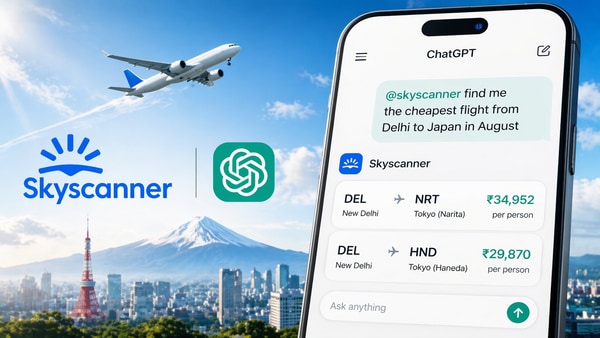
Travel metasearch engine Skyscanner has officially launched its app within ChatGPT, allowing users in India and globally to search, compare, and find flight options using natural conversational prompts in the popular chatbot. With the new integration, users can find flights, compare prices, and adjust travel details by giving simple instructions to the chatbot in English or their preferred language.
What does the Skyscanner app on ChatGPT offer?
According to Skyscanner, the results from its app on ChatGPT use the company’s existing pricing and comparison engine, which aggregates options from a wide range of travel providers. Users can further refine their search by modifying dates, destinations, or airports in follow-up messages.
Skyscanner’s Chief AI Officer, Piero Sierra, while talking about the new feature in a statement by the company, said, “We’ve been at the forefront of cutting-edge flight search, ensuring that travellers have all the right tools to reduce friction and give them more confidence in finding the right flight for them. Travellers can now access the Skyscanner app in ChatGPT to search for the best options and flight prices for their trip.”

In its 2026 Travel Trends report, Skyscanner had noted that 86% of Indian travellers feel confident in using AI to plan their trips. The company already has a ChatGPT-powered Savvy Search feature in the app that lets users find curated destination ideas along with flight options.
How to Use the Skyscanner App in ChatGPT: Step-by-Step Guide
To get started, users need to install the Skyscanner app within ChatGPT. Once installed, the process becomes conversational from there.
- Open the ChatGPT app or website and navigate to the Apps or GPTs store section.
- Search for and install the Skyscanner app.
- Start a new conversation and invoke the Skyscanner app by using the “@skyscanner” mention or selecting it from the available apps.
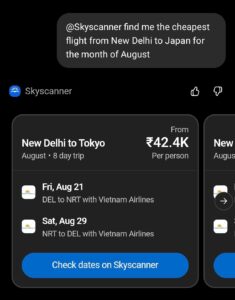
- Enter your prompt in natural language, for example: “@skyscanner find me the cheapest flight from Delhi to Japan in August” or any similar request
- ChatGPT will generate a visual display of the best available flight options and per-person pricing directly in the same chat
- You can refine your search continuously by asking the AI to adjust the travel dates, change the departure airport, or look for different airlines.
- Once you find the ideal flight, simply click the provided link to verify the dates and finalise your booking on Skyscanner’s website or app
AI-powered Football Flight Finder
Alongside the ChatGPT integration, Skyscanner also announced another AI-powered feature called “Football Flight Finder”. The new feature on its website allows users to plan multi-city trips to the biggest football events of the year by tracking fare drops and simplifying complex itineraries from opening matches through to the final.