
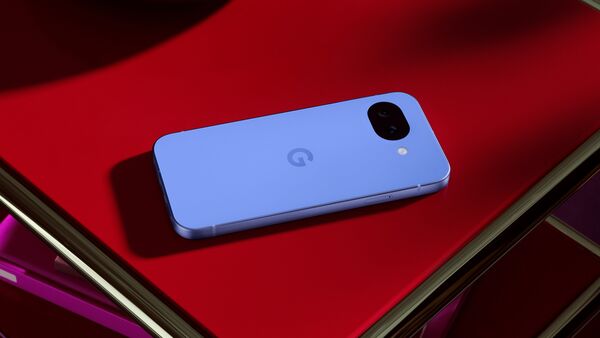
Google Pixel users have begun to experience a weird issue following the rollout of March 2026 Pixel update. Several users have taken to forums like Reddit and Google’s official Issue Tracker to reveal t hat their Pixel devices are getting stuck on the bootloop, that is getting stuck on the ‘G’ logo, which leaves their devices unusable.
As per a 9to5Google report, the recent bug in Pixel update seems to be affecting various Pixel moels including the Pixle 10, Pixel 8 Pro, Pixel 7a, Pixel 7 Poro, Pixel 10 and Pixel 10 Pro XL.
What issues are users facing after Google’s latest update?
The issues after March Goolge update are varied for different users. Some users complaint that their devices are refusing to turn on entirely. Meanwhile, others state that their phones are constantly rebooting and getting stuck on the initial boot screen with the “G” logo
Some users also state that their devices are being forced into Recovery mode and displaying errors that the device data or the “Android system” might be corrupted.
“When I boot my phone and was asked to enter my password, the phone turns to black screen, freezes and reboots itself after having entered the correct passcode. When I enter a wrong passcode it can identify that it’s wrong though.” wrote a Pixel 6 user on Reddit
“I am experiencing the same issue on a Pixel 6 and have tried sideloading March update multiple times with no luck. I am stuck in a bootloop.” added another user
“The march OTA caused a lot of Pixel Phones to bootloop. They basically wont turn on and are completely unusable. Currently there is no real solution apart from factory reset which according to reports online is at least unreliable. So far Google hasnt adressed the issue properly.” added another user
Google has officially acknoweldged the issue in a comment on its Issue Tracker and said that it has shared the problem with its engineering team and is ‘actively working to identify a fix.’
The company also responded to various Reddit threads, stating that it has contacted the users facing issues after the March udpate.
What to do if you are struck on bootloop?
Google recommends reaching out to Pixel support immediately to get the assistance from the company. But if you are stuck in an emergency, here’s a fix that some users on Reddit have pointed out worked for the.
A few reported that they were able to get their Pixel to boot by starting it in Safe Mode while keeping it plugged in.
- Plug your Pixel device into a charger and leave it undisturbed for roughly 30 to 40 minutes.
- Try to turn on your phone on in Safe Mode by holding down the Power button.
- As soon as the Google logo flashes on the screen, immediately press and hold both the Volume Up and Volume Down keys simultaneously.
- Keep holding the buttons until the boot animation plays out. Once the phone finishes booting up, you will notice a “Safe Mode” badge at the bottom of your display, confirming the process was successful.


