
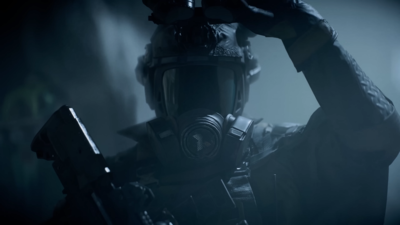
Battlefield 6 Season 2 kicks off with a wave of new content, and the developers are using Twitch Drops to keep players engaged and offer free rewards. These time-sensitive promotions offer you a wonderful chance to acquire exclusive cosmetics, and all you have to do is watch Battlefield 6 streams on Twitch.
There are four rewards in total, and each has a set milestone you must meet. Once you reach the milestones, you will be able to eligible to claim the rewards.
The section below guides you on how to obtain the Battlefield 6 Season 2 Twitch Drops.
Battlefield 6 Season 2 Twitch Drops
With the launch of Battlefield 6 Season 2 on February 17, 2026, the developers are offering you a wonderful opportunity to acquire free rewards in the game. As already specified, there are a total of four rewards, and they have to be claimed in a specific order. To progress toward the next item, you must manually claim the current reward in your Twitch inventory.
Here is a list of the Twitch Drops that you can get:
-
Watch for 1 Hour: MUTATOR Player Background
-
Watch for 2 Hours: BOMBDOG Vehicle Decal
-
Watch for 3 Hours: TEPHRA Vehicle Skin for LEO A4 Tank PAX
-
Watch for 4 Hours: NUCLEAR OPTION Weapon Package
Accordingly, meeting the requirements will allow you to get the specific rewards.
How to claim Battlefield 6 Season 2 Twitch Drops
The process of securing the drops is quite simple, and all you have to do is ensure that your EA and Twitch accounts are linked. Once this is done, you can watch the Twitch streams and receive the rewards.
Here is a step-by-step process that you can end up following:
- Link your accounts:
To get started, you will have to link your EA account to that of your Twitch account. For the same, visit the official EA website and complete the process by navigating through the “Connected Accounts” section.
- Watch streams:
Next, you must look for streamers in the Battlefield 6 category with Drops Enabled tag. The progress gets carried over across the eligible Twitch channels, and there is no particular requirement for you to watch a specific streamer for the full duration.
- Claim the drops:
After you meet the aforementioned watch-time milestones, you should go to the Twitch Drops Inventory and claim the rewards.
Please keep in mind that it can take up to 24 hours for the rewards to appear in your in-game inventory.
Get the latest ICC Men’s T20 World Cup 2026 updates, including the full schedule, teams, live scores, points table, and key series stats such as top run-scorers and wicket-takers.


